
Bible Note Taker & Recorder
Note AI Pte. Ltd.Books & Reference
4.676.00 Reviews
- Version
- 1.6.1
- Installs
- 500.00K
- Age Rating
- Everyone
Screenshots
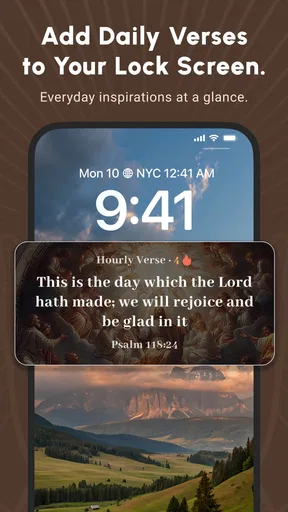
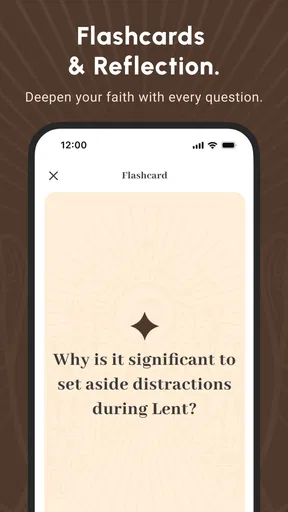
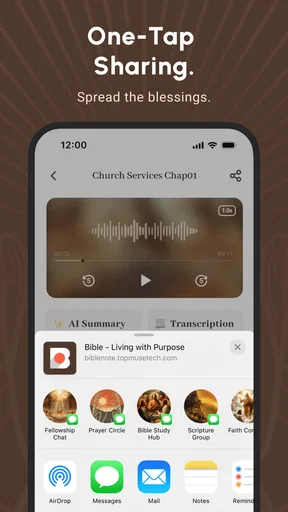

Our Review of Bible Note Taker & Recorder
 Analysis by Appyee
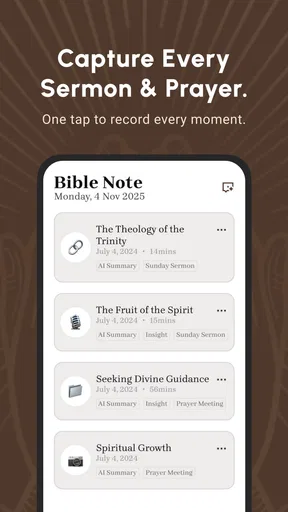
I noticed the appeal of Bible Note Taker & Recorder almost immediately: it turns a sermon, Bible study, or personal reflection into material I can revisit instead of leaving it buried in a notebook or a long audio file. The app sits in the Books & Reference category, but it feels more practical than a conventional reading reference because its main job is helping me capture spoken teaching and turn it into something easier to review.
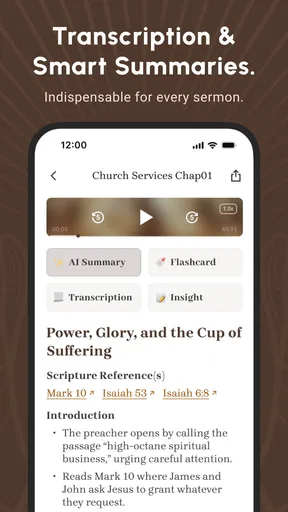
That promise is especially useful for people who listen carefully in the moment but struggle to remember the details later. I can record a sermon, use transcription to create searchable text, and then work with AI-generated summaries and flashcards for study. The result is not simply another place to store notes. It is an attempt to connect listening, reviewing, and remembering in one workflow.
After spending time with it, my opinion is positive but measured. The first week is the most exciting because the app makes familiar study habits feel more organized. The harder question is whether it earns permanent space on a phone once the novelty fades. For me, that depends less on the recording button and more on whether I return to the summaries and flashcards consistently.
What makes the first week appealing
The strongest early use case is a live sermon. Instead of trying to write every important sentence while also paying attention, I can focus on listening and let the app create a transcript afterward. That changes the role of handwritten notes: I no longer need to capture everything, only the personal reactions, questions, and passages I want to remember.
A realistic routine would be to start a recording before a service, leave the phone in a stable position, and revisit the resulting text later that day. I would then read the summary while the message is still fresh, correct the parts that need personal context, and use the flashcards as prompts during the week. That is a more manageable process than opening a lengthy recording without knowing where to begin.
The transcription feature is also helpful for small-group discussions and Bible classes. Spoken conversations are difficult to reconstruct from memory, particularly when several ideas move quickly. Having text to review gives me a starting point for sorting the main themes from side comments. I would still treat the transcript as a draft rather than a perfect record, especially around biblical names, uncommon terms, quoted verses, or overlapping voices.
That distinction matters. AI transcription can save time, but it does not remove the need for judgment. A misplaced word can change the meaning of a sentence, and a summary may emphasize what sounds central rather than what was personally important. I found the best approach was to use the generated material as an assistant, not as an unquestionable study authority.
The app’s AI summaries are most useful when I am tired or short on time. A full sermon can feel like a large commitment several days later, while a concise overview lowers the barrier to returning to it. I can scan the main direction first, then decide whether a deeper reread is worthwhile. This makes the app more practical than a basic voice recorder, which preserves information but leaves all the organizing work to me.
Flashcards add a different kind of value. They encourage active recall instead of passive rereading, which is important when I want to remember a verse, theme, or teaching point rather than merely recognize it on the screen. I would not expect them to replace a structured Bible study course, but they can turn an otherwise forgotten sermon into several small review moments.
One useful first-week habit is to avoid generating study material for every recording automatically. If I capture a long conversation, a personal prayer, and a full sermon in one day, the app can quickly become crowded with content competing for attention. I prefer choosing the recordings that deserve a second life. That small act of selection prevents the AI features from creating more material than I can realistically use.
The app is free to install, and its content rating is Everyone, which makes the basic idea approachable for a broad audience. Note AI Pte. Ltd. is the developer, and the product has reached over 500 thousand installs. Its average rating is 4.6 from around 1.3 thousand ratings, a healthy sign that the central workflow resonates with many users, although a rating cannot tell me whether the app fits my particular study style.
Where it beats ordinary alternatives
A standard voice recorder is simpler and may be preferable when I only need an audio file. It usually asks less of me and creates fewer decisions. Bible Note Taker & Recorder becomes more compelling when I want to transform that recording into readable, reviewable study material rather than simply archive it.
A normal notes app offers more freedom for manual writing, but it cannot provide the same automatic bridge from spoken content to text and learning prompts. On the other hand, a manual notes app can be better when I need precise theological wording, a carefully organized outline, or detailed cross-references. The app’s convenience does not eliminate the value of deliberate writing.
It also differs from a dedicated Bible study reference. A reference app is usually strongest when I am searching Scripture, comparing passages, or consulting background material. This app is strongest when I am preserving what I heard and turning it into a personal review system. I see it as a companion to those tools, not a replacement for them.
Why the value can last from month to month
Long-term usefulness depends on repetition. If I only record sermons and never revisit them, the app becomes an audio storage cupboard with extra steps. If I use it as a weekly review tool, it has a better chance of becoming part of my routine. The lasting value comes from the loop: capture, clarify, recall, and apply.
My preferred monthly workflow would be selective rather than exhaustive. I would keep recordings connected to a continuing teaching series, a group study, or a personal question I am actively exploring. At the end of the week, I would review summaries and choose a few flashcards to revisit. At the end of the month, I would look for repeated themes and unanswered questions instead of replaying everything.
That approach reveals one of the app’s less obvious strengths: it can help me notice continuity between separate meetings. A single sermon may be encouraging, but several summaries can show how a topic develops over time. This is where the app offers more than a one-off transcription service. It can become a lightweight memory layer for an ongoing study practice.
There is also a useful distinction between information capture and spiritual reflection. The app can preserve words and suggest review prompts, but it cannot decide what deserves obedience, discussion, or personal application. I still need to add that human layer. After reading a summary, I might write one action, one question, and one passage to examine further. That keeps the technology from turning study into a purely mechanical exercise.
Flashcards are likely to provide the most recurring value for users who enjoy structured recall. I can imagine reviewing a few prompts while waiting for an appointment or during a quiet morning. The key is keeping the set small enough to feel approachable. If every session produces a large stack, review may start to feel like homework rather than a helpful reminder.
For families or study partners, the app may also support better conversations. A summary can help someone explain the main point of a sermon to a person who was absent, while the transcript can preserve a question that deserves discussion later. I would still check the original audio before attributing an important statement to a speaker, but the app can make follow-up conversations more focused.
Users should also think about what they want to retain. A transcript can contain personal comments, private reflections, or sensitive discussion. Before building a large archive, I would establish a simple cleanup habit: keep material that supports future study, remove recordings that no longer serve a purpose, and avoid treating every captured conversation as permanent documentation. That is not a criticism unique to this app; it is part of using any recording tool responsibly.
The maintenance burden is modest, but real
The app reduces some maintenance because transcription and summarization handle work I would otherwise do manually. Still, automation creates its own chores. I need to review important transcripts, rename or organize useful material, decide which flashcards are worth keeping, and prevent a growing library from becoming difficult to navigate.
This is the trade-off I felt most clearly. The app saves time at the beginning of the process, but it does not guarantee a clean study archive at the end. If I record without a plan, I can accumulate unfinished transcripts and summaries. The more I rely on the app, the more valuable a simple naming pattern becomes, such as identifying the meeting, topic, and date in a way I can recognize later.
The current version is 1.6.1, and the app runs on Android 7.0 or later. That broad compatibility is useful for people who keep an older phone, although the experience of recording and processing may still depend on the device and the environment. I would test the complete workflow before relying on it for an especially important event.
Another practical consideration is the recording setting. A quiet room and a phone placed close enough to the speaker should produce more useful material than a noisy space with several people talking at once. This is an easy detail to overlook because the app makes recording feel effortless. In reality, the quality of the input still shapes the quality of the transcript and everything generated from it.
I would also keep the original audio until I have checked the transcript and summary. Deleting it immediately saves storage but removes the easiest way to resolve an unclear sentence later. Keeping every recording forever creates clutter, so the sensible middle ground is a short verification period followed by selective cleanup.
The free entry point makes experimentation easy, but the app includes in-app purchases ranging from $4.99 to $69.99 per item. That range means I would pay attention to how often I use the AI features before committing to a purchase. Someone who records weekly and actively reviews the results may see more value than someone who only wants occasional audio capture.
What may cause fatigue after the novelty
The first source of fatigue is processing a backlog. The excitement of seeing a recording become text can encourage overuse, especially during the first few days. Soon, the library may contain more summaries than I can read and more flashcards than I want to review. The app works best when I treat it as a filter for meaningful material, not a machine for converting every spoken word.
The second is correction. Transcription is convenient, but a serious study note may require checking names, references, and theological terms. If I expect publication-ready text, I will probably be disappointed. If I expect a useful draft that helps me find and revisit ideas, the experience is more forgiving.
A third source of fatigue is the gap between summary and understanding. A short AI summary can make a message feel familiar without ensuring that I have actually absorbed it. Flashcards help counter that risk, but only if I answer them honestly instead of glancing at the prompt and moving on. The app can support memory; it cannot supply attention.
Some users may also prefer a quieter, more manual approach. If writing in a paper notebook is part of the reflection itself, automatic capture may feel intrusive or unnecessary. People who already have a carefully maintained note system may not want another archive to manage. In that situation, the app’s advantages may not justify changing a routine that already works.
I would skip it if my main goal is advanced Bible scholarship, exact transcript editing, or comprehensive reference research. A specialized Bible tool, a full note-taking system, or a dedicated recorder may be a better fit depending on that priority. I would also skip it if I rarely revisit recordings, because the app’s strongest features only matter after the initial capture.
On the other hand, I would recommend trying it to anyone who regularly attends sermons or Bible studies and often thinks, “I wish I could remember that point later.” The combination of recording, transcription, summaries, and flashcards addresses that specific frustration more directly than a blank notes page does.
My long-term verdict
After the initial novelty fades, Bible Note Taker & Recorder earns its place when it becomes part of a repeatable review habit. Its best contribution is not that it records audio; many tools can do that. Its advantage is the path from spoken teaching to a compact set of material I can actually revisit.
I would use it selectively, preserve the original recording until I had checked the generated text, and schedule a short weekly review rather than allowing content to pile up. I would also keep my expectations realistic: AI output needs human checking, and a summary is a doorway into study rather than a substitute for reading Scripture or thinking carefully.
The free price makes it reasonable to test, while the paid items deserve a closer look before becoming part of a regular budget. The broad age rating and Android compatibility make it accessible, and the strong average rating suggests that the core idea is working for a substantial group of users. Still, those facts matter less than whether I will genuinely return to the material after recording it.
My final recommendation is therefore conditional but clear. If you want a personal sermon archive that can become readable notes and active-recall prompts, this is a thoughtful and useful app. If you only need a simple recorder, already have a disciplined manual system, or want scholarly reference features, another option may serve you better. For me, its lasting value comes from one rule: record less, review better, and keep only what helps your study continue.
Verdict
Strengths of Bible Note Taker & Recorder
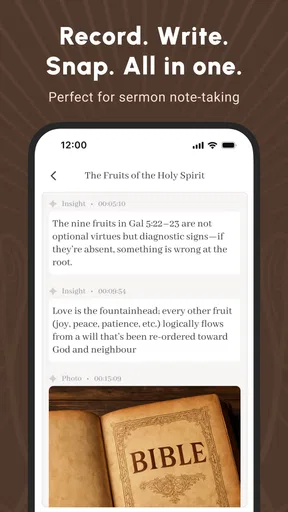
- Quickly capture sermon notes alongside relevant Bible passages.
- Audio recordings help revisit messages and personal study sessions.
- Searchable notes make it easier to find saved reflections later.
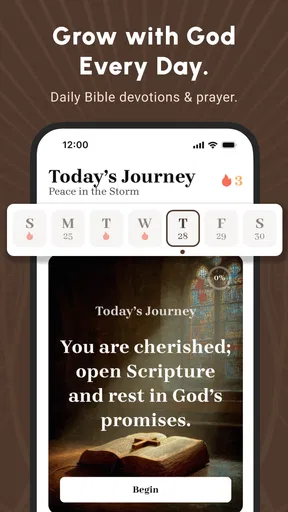
- Useful for organizing insights from church, study groups, or devotionals.
- Simple format suits users who prefer focused Bible study tools.
Limitations of Bible Note Taker & Recorder
- Recording features may consume noticeable storage over time.
- Audio quality can depend heavily on the phone’s microphone.
- Long recordings may drain battery during extended sessions.
- Limited collaboration options for sharing notes with study groups.
- Some features may require permissions that privacy-conscious users dislike.
Similar Picks in This Category
View All
Google Play Books & Audiobooks
Google LLC4.7

네이버 - NAVER
NAVER Corp.3.5

Wattpad - Read & Write Stories
Wattpad.com3.7

King James Bible - Verse+Audio
Ozion4.8

Bible Offline-KJV Holy Bible
Bíblia Offline4.9

Amazon Kindle: Reading App
Amazon Mobile LLC4.8
Frequently Asked Questions
What is Bible Note Taker & Recorder used for?
Bible Note Taker & Recorder is designed to help users record, organize, and revisit personal thoughts while reading or studying the Bible. You can use it for sermon notes, prayer reflections, verse observations, study summaries, and spiritual journaling. It is especially useful for keeping written or recorded ideas connected to your regular Bible-reading routine in one convenient place.
Can I record audio notes as well as write notes?
Yes, the app is intended for users who want more than a traditional text notebook. Depending on the version and device, you can create written notes and record spoken reflections, making it practical after a sermon, during personal study, or when you want to capture an idea quickly. Check the app’s permissions and settings before recording, particularly for microphone access and storage.
Can my notes be connected to specific Bible verses or passages?
Bible Note Taker & Recorder is primarily useful because it lets you organize study material around your Bible-reading experience. Users should look for options to title notes, add references, or include verse details manually. The exact linking and Bible-text features may vary by platform or app version, so review the current description before downloading if direct verse integration is essential.
Are my notes and recordings private and backed up automatically?
You should not assume that every note or audio recording is automatically backed up or synchronized across devices. Privacy and backup options depend on the app’s current features, operating system, and any connected account or cloud service. Before storing sensitive prayer notes or personal reflections, review the privacy policy, export tools, account settings, and permission requests carefully.
Is Bible Note Taker & Recorder free to download?
The app may be available to download at no initial cost, but availability of premium tools, advertising, subscriptions, or in-app purchases can vary between Android and iOS. Before installing, check the store listing for the latest pricing information. Pay particular attention to whether longer recordings, extra organization features, backups, or an ad-free experience require payment.
